

ContentQuo Evaluate
ContentQuo evaluate is a vendor-agnostic cloud software for managing and scaling Language Quality (LQA) programs for Human and Machine Translation. This app focusses on creating evaluations in ContentQuo evaluate, and exporting evaluations in reports or to spreadsheets or databases.
Before setting up
Section titled “Before setting up”Before you can connect you need to make sure that:
- You have a ContentQuo account on the instance you want to connect to.
- You have received a public key and secret key from ContentQuo.
Connecting
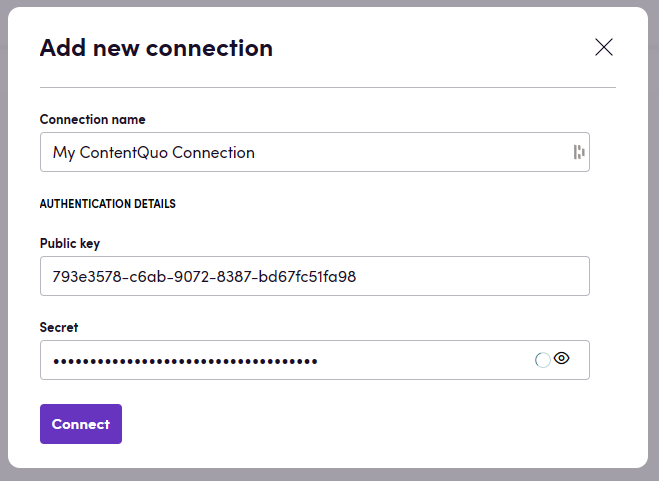
Section titled “Connecting”- Navigate to apps and search for ContentQuo. If you cannot find ContentQuo then click Add App in the top right corner, select ContentQuo and add the app to your Blackbird environment.
- Click Add Connection.
- Name your connection for future reference e.g. ‘My ContentQuo connection’.
- Fill in the the public and secret key that you have received from ContentQuo.
- Click Connect.
Actions
Section titled “Actions”Evaluation
Section titled “Evaluation”- Create evaluation
- Start evaluation
- Delete evaluation
- Download evaluation report returns an Excel file based report of the entire evaluation. Optionally, one can use a custom report ID if configured in their ContentQuo Evaluate instance.
- Get evaluation returns general information about the evaluation plus:
- A list of issues.
- Quality evaluation metrics with a grade and a quality score.
- A list of files with attached information including word count and segment count.
- Search evaluations returns a list of evaluations and supports all optional API query filters, including name, PM user ID, locales, status, date filters, limit, and offset.
- Download bilingual file
- Upload bilingual file
- Delete bilingual file
Events
Section titled “Events”- On evaluations created
- On evaluations finished
Example
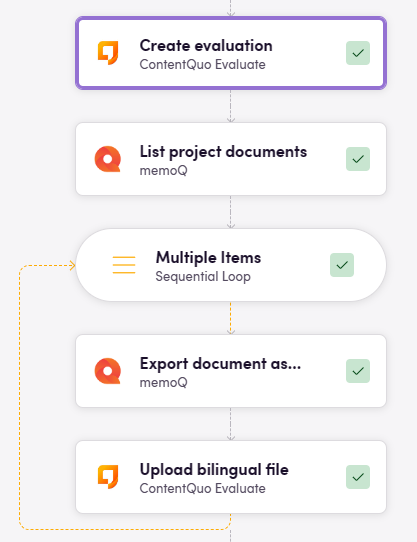
Section titled “Example”Create an evaluation from memoQ a memoQ project:
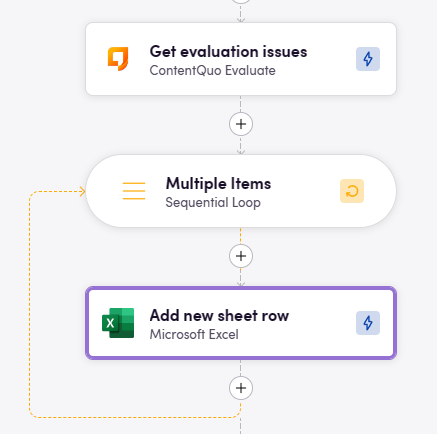
Store issues in an Excel file:
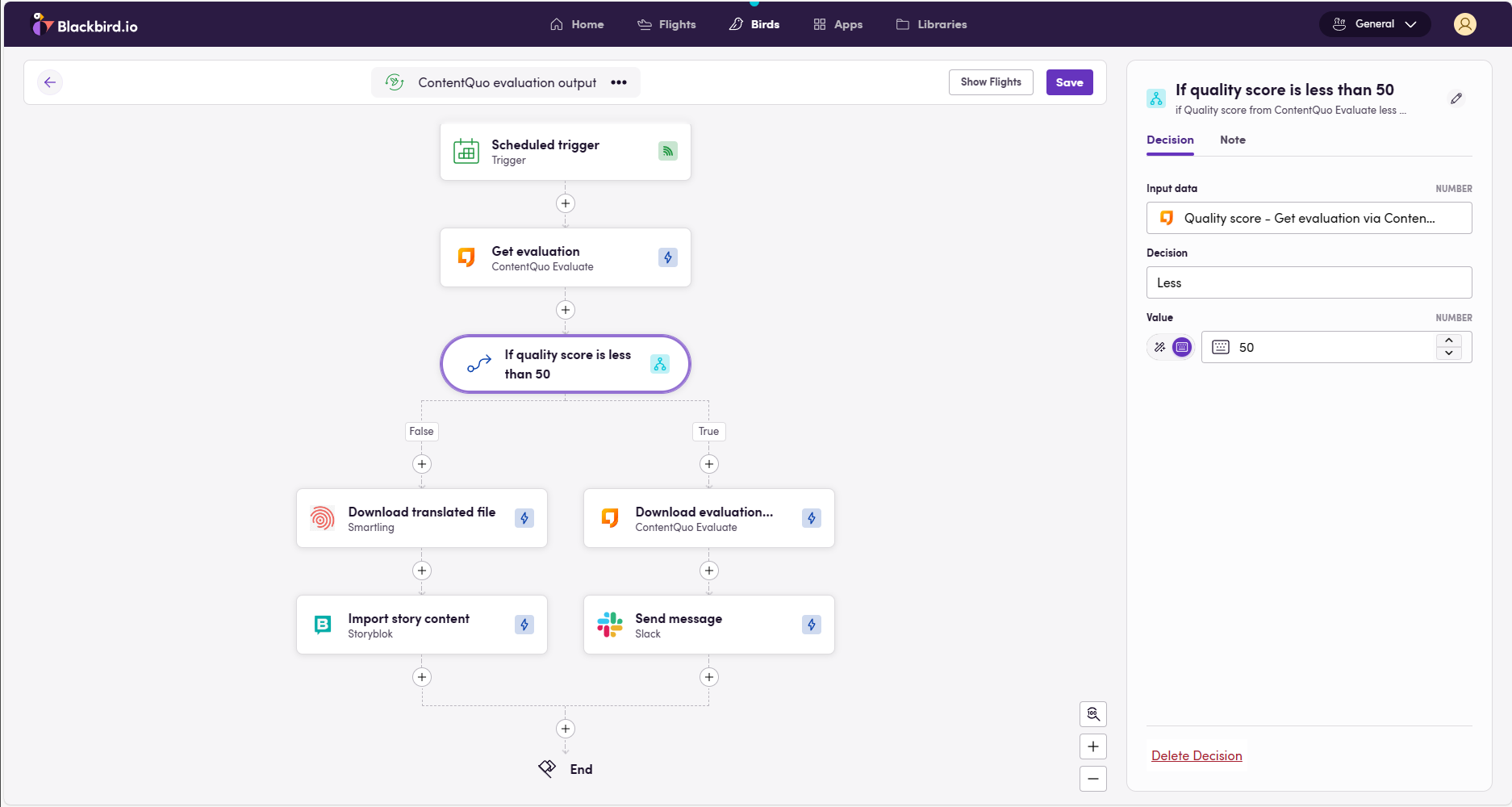
If the quality score of an evaluation is below a certain threshhold, download the evaluation report an send it on Slack. Otherwise, push the content.
Missing features
Section titled “Missing features”There are numerous endpoints in the ContentQuo documentation labeled as [not implemented yet]. The moment these are available they can be added as features to this Blackbird app.
Feedback
Section titled “Feedback”Do you want to use this app or do you have feedback on our implementation? Reach out to us using the established channels or create an issue.