

Custom metadata
You can try Blacklake today. Contact us if you want to participate.
This guide assumes you understand the Blacklake Key Features.
Custom metadata is where Blacklake becomes adaptable to your business reality.
Instead of forcing every team into the same fixed set of attributes, Blacklake lets you define your own metadata fields at the Lake level. These fields can then be attached to content and used later for querying, filtering, and leverage decisions.
This is what allows Blacklake to work with metrics and attributes such as:
- page views
- conversion relevance
- product area
- market labels
- campaign tags
- workflow flags
- internal quality indicators
What metadata fields are
Section titled “What metadata fields are”A metadata field is a reusable schema definition for your Lake.
It defines:
- the field name
- the field type
- an optional description
Once defined, that field can be populated through Blackbird workflows and then used elsewhere in Blacklake, especially in metadata-aware leverage strategies.
Supported field types
Section titled “Supported field types”The current metadata interface supports three field types:
Textfor labels, categories, identifiers, or freeform valuesNumberfor counts, scores, KPIs, or ranking valuesBooleanfor true-or-false flags such asis deprecatedorneeds review
These types are intentionally simple, because they cover a wide range of operational and analytical use cases without forcing a rigid business model on the user.
Creating metadata fields
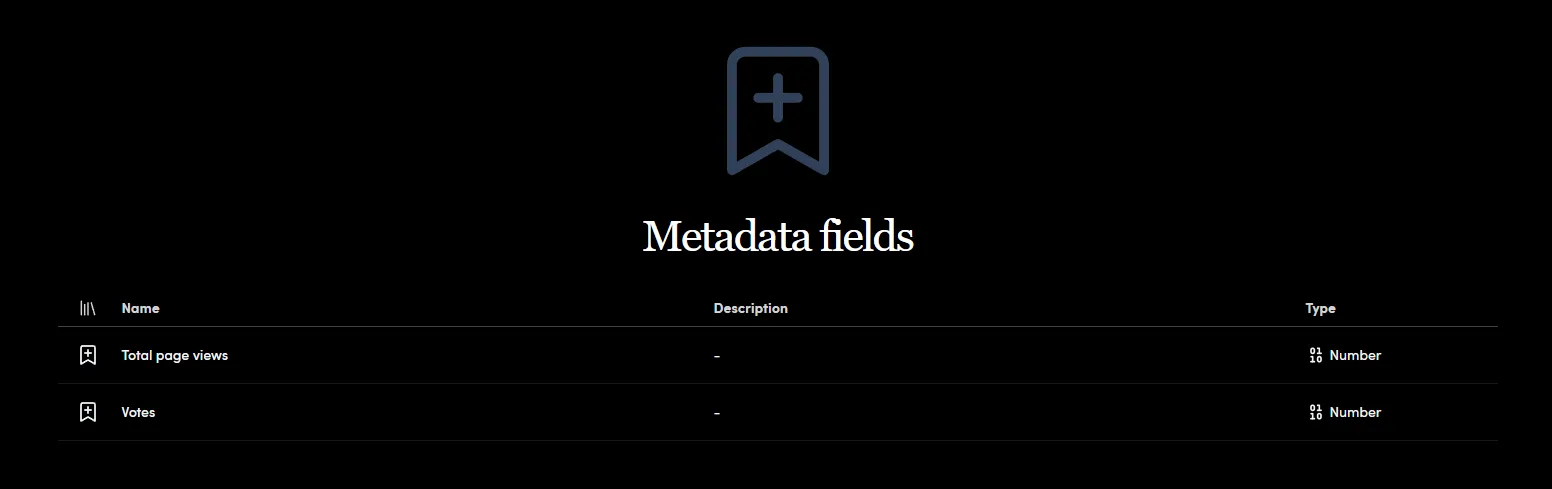
Section titled “Creating metadata fields”From the Metadata page, click New Metadata Field to create a field.
For each field you define:
Nameis the label of the fieldTypedetermines whether values are text, numeric, or booleanDescriptionis optional and can be used to document how the field should be used
This page is for defining the schema of the metadata, not for manually filling values on content one by one.
Why Custom Metadata matters
Section titled “Why Custom Metadata matters”Custom metadata is what makes Blacklake queryable in business terms rather than only in linguistic terms.
Instead of asking only:
- “Do we have a match?”
you can eventually ask questions such as:
- “Do we have a match from a high-performing page?”
- “Do we have a match from this product line?”
- “Do we have a match marked as approved for this market?”
- “Do we want to exclude content with this flag?”
That is the difference between generic leverage and governed leverage.
Custom Metadata and Strategies
Section titled “Custom Metadata and Strategies”Custom metadata becomes especially valuable when combined with Strategies.
Strategies can filter the candidate pool based on metadata, which means your reuse logic can reflect real business priorities. For example, you can prefer content from high-value pages, exclude deprecated material, or limit leverage to a specific audience or market segment.
This is one of the core reasons Blacklake is more flexible than a traditional TM-style system. It lets your content operations logic reflect real-world business context.
Practical guidance
Section titled “Practical guidance”When designing metadata fields, avoid creating fields just because the system allows it. The best fields are the ones that support a concrete operational decision.
Good metadata fields usually help answer questions like:
- Should this content be reused?
- Should it be prioritized?
- Should it be excluded?
- Does it belong to a certain business segment?
- Does it reflect the current state of the content?
If a field will never influence search, leverage, governance, or reporting, it may not need to exist.
Custom Metadata and Blackbird
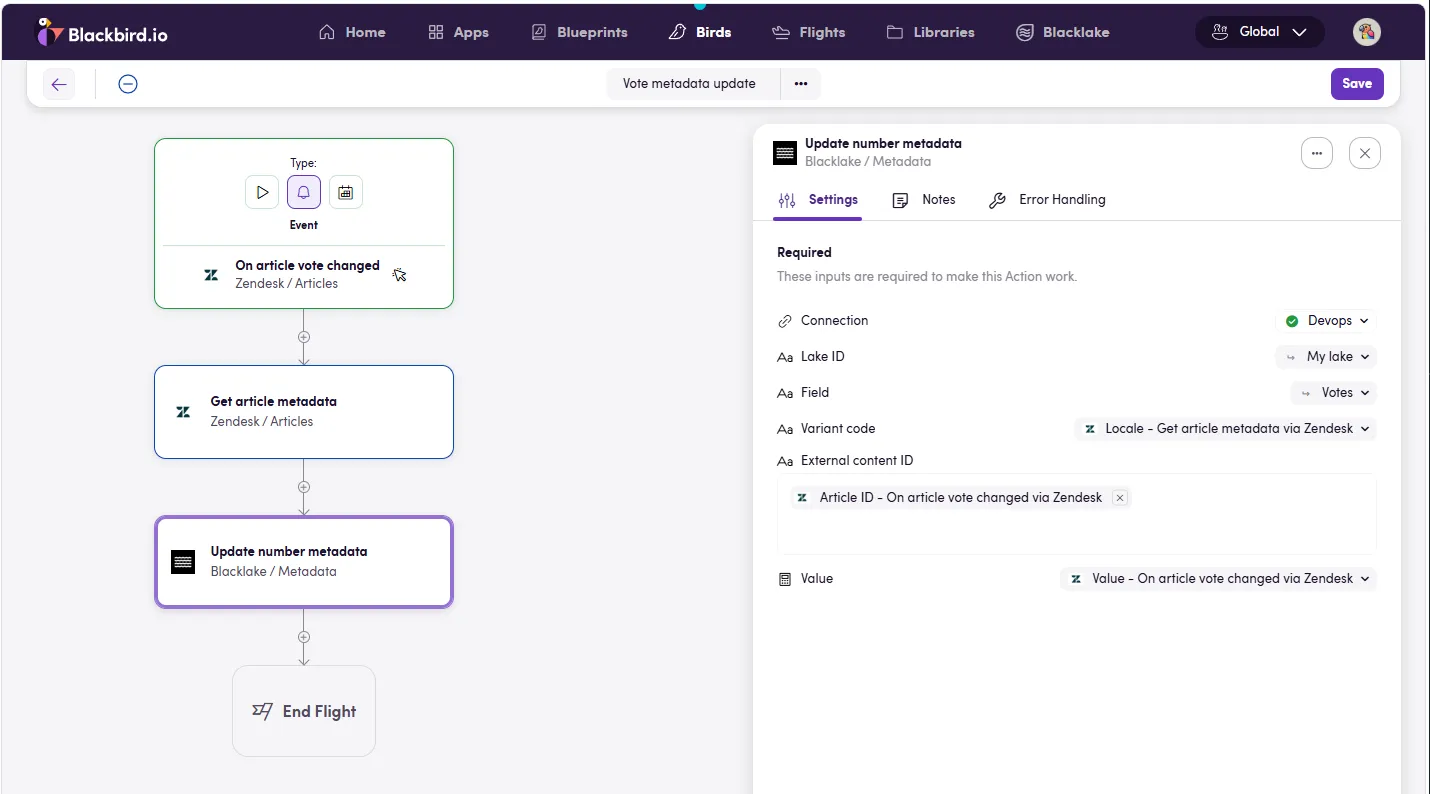
Section titled “Custom Metadata and Blackbird”Metadata fields are defined in Blacklake, but they are typically populated through Blackbird actions and workflows.
That means Blacklake provides the schema, while Blackbird can provide the orchestration layer that fills those fields from source systems, analytics tools, content pipelines, or enrichment flows.
An example workflow (using Zendesk votes) can be seen here:
Continue with the Strategies guide to see how metadata can shape Blacklake’s leverage behavior.