

Mansa
Mansa is an AI-powered translation platform specializing in African languages, offering high-quality, context-aware translations across more than 20 languages.
Before setting up
Section titled “Before setting up”Before you can connect you need to make sure that:
- You have an API key for Mansa. If you don’t:
-
Create an account in https://all-lab-portal.com/sign-in This gives you access to your workspace and API management tools.
-
Generate an API Key From the user dashboard, create a new API key. This key authenticates all requests to the Mansa API.
Connecting
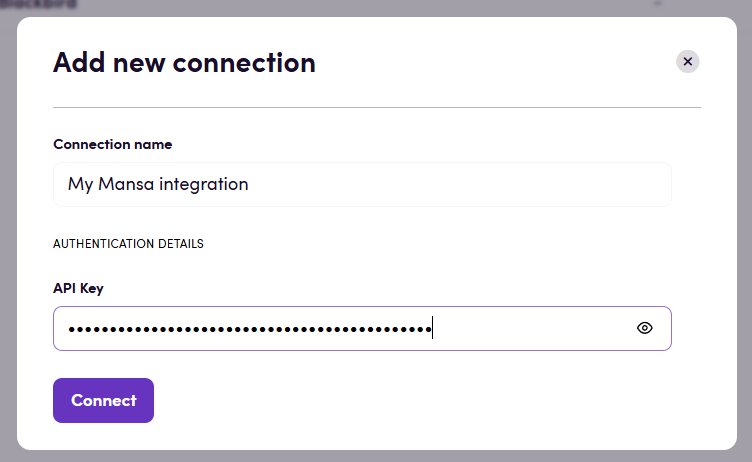
Section titled “Connecting”- Navigate to Apps, and identify the Mansa app. You can use search to find it.
- Click Add Connection.
- Name your connection for future reference e.g. ‘My Mansa connection’.
- Fill in the API key to your Mansa account.
- Click Connect.
Actions
Section titled “Actions”Translation
Section titled “Translation”- Translate Translate interopability compatible files in Blackbird
interoperability mode. If you’re only translating text (strings) then use Translate
text instead. Advanced settings:
- Output file handling: If using Blackbird’s interoperability mode, this determines the format of the output file. The default Blackbird behavior is to convert to XLIFF for future steps. You can change it to output the original file format (if you don’t want to continue language operationts after this step).
- Context: Add additional context to the translation, this can be anything of relevance.
- Creativity: Randomness level (0.1–1.0, defaults to 0.7).
- Translate text Translate a single text string. Useful when translating small messages. For larger content and files use Translate instead.
Example
Section titled “Example”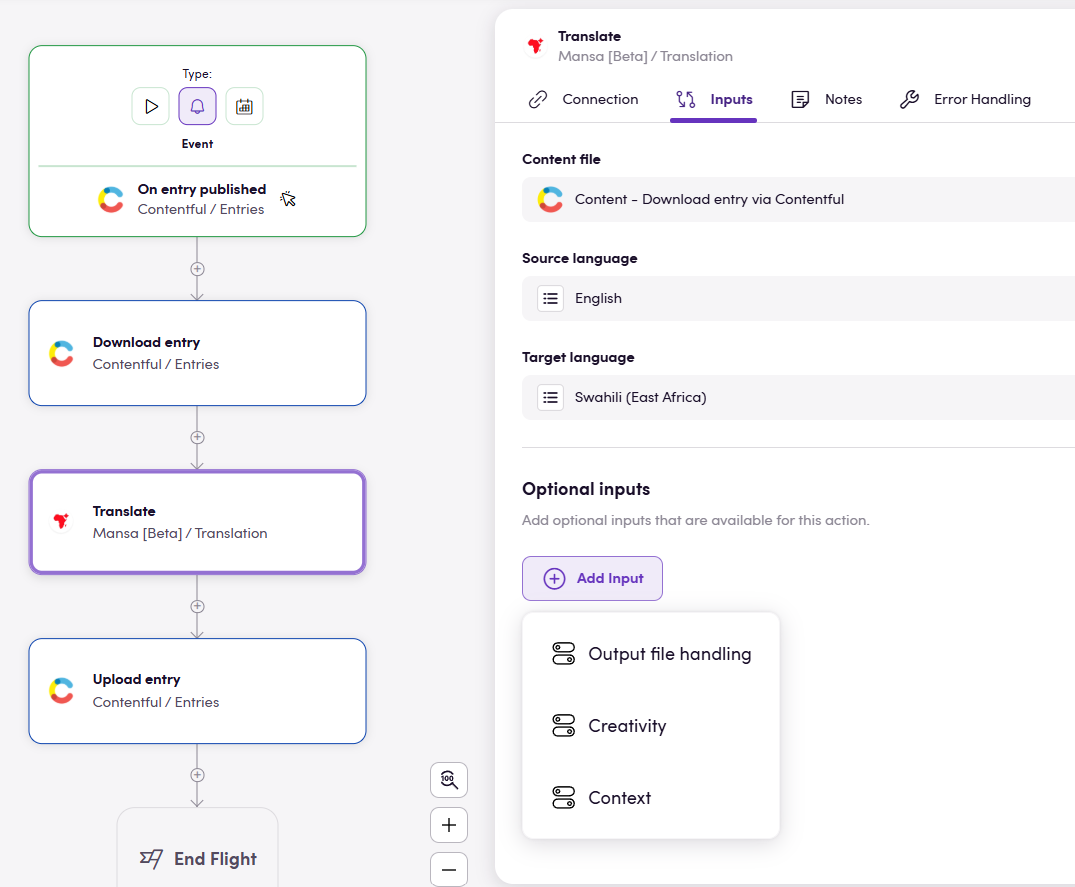
The example above shows a Bird that is triggered as soon as an entry is published in Contentful, said entry is then exported and translated through Mansa before being imported back into Contentful.
Feedback
Section titled “Feedback”Do you want to use this app or do you have feedback on our implementation? Reach out to us using the established channels or create an issue.