

Salsify
Salsify is a cloud-based PIM solution that helps brands manage product data and content for eCommerce channels.
Before setting up
Section titled “Before setting up”Before you can connect, please make sure to follow the instructions below. Choose the one that matches your desired connection type.
API Token
Section titled “API Token”Follow the instructions at this link to create a new API token. You can find it again later under API Access in your Salsify profile settings.
You also need your organization ID. Open Salsify and copy the value that follows /orgs/ in the
browser address bar - it starts with s-.
For example, in https://app.salsify.com/app/orgs/s-1a2b3c4d-5e6f/products, the organization ID is
s-1a2b3c4d-5e6f.

Connecting
Section titled “Connecting”Navigate to apps and search for Salsify. Click Add connection and name your connection for future reference e.g. ‘My Salsify connection’.
API Token
Section titled “API Token”- Paste your API token that you obtained previously.
- Paste your organization ID.
- Click Connect.
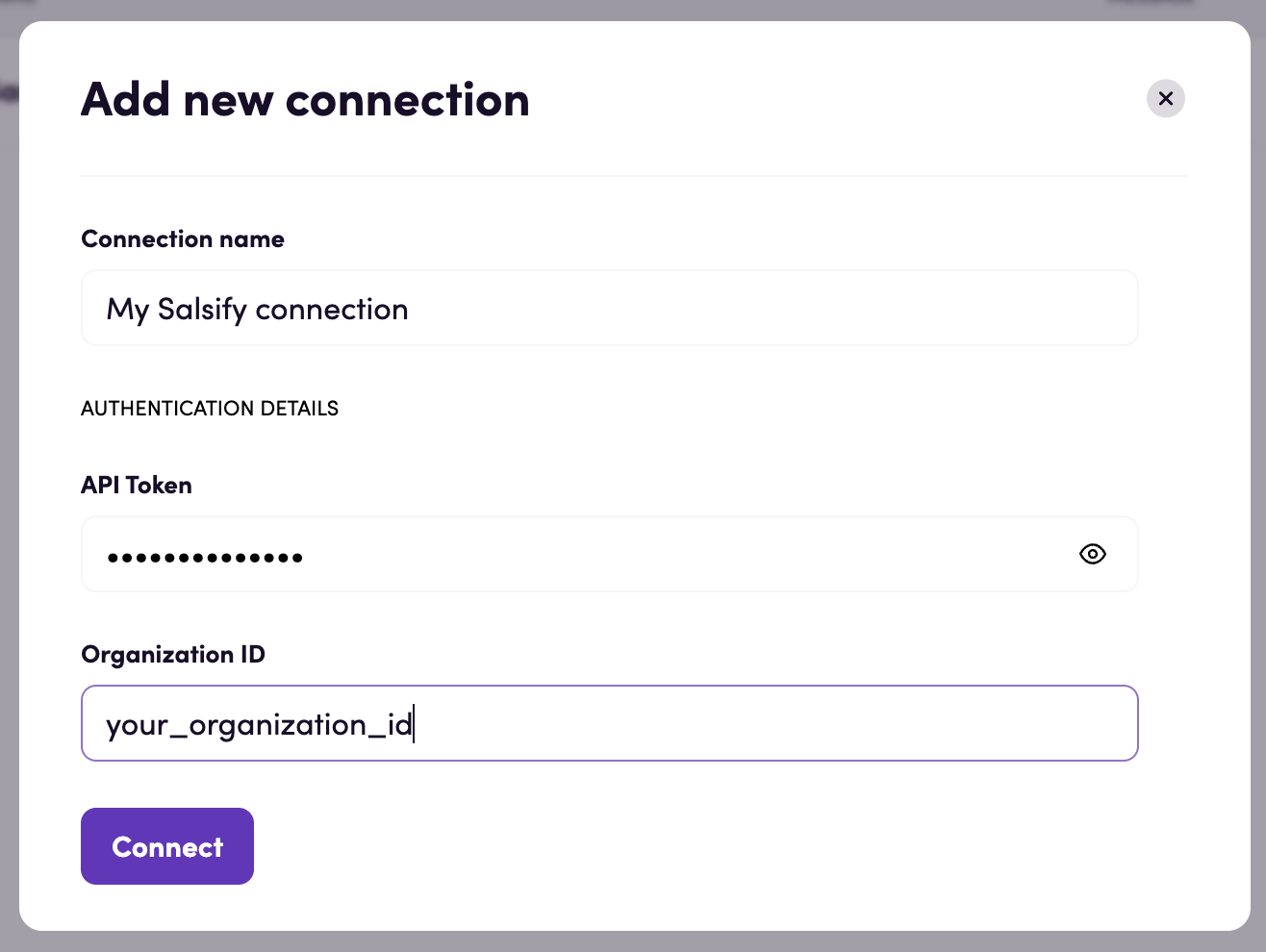
Actions
Section titled “Actions”Note: Some actions have a ‘Custom query’ input - it is possible to use Salsify’s query language to apply your custom filters. Please refer to this link to understand how the language works and how to build your own queries.
Your query is combined with the action’s other filter inputs using the
ANDoperator.Make sure to input queries without the ’=’ character at the beginning - the app already does it for you. For example, enter
'Brand':'Test'rather than='Brand':'Test'.Salsify also does not report a mistyped property name as an error. A query referencing a property that does not exist simply returns no results. If a search always comes back empty, check the property names in your query.
Assets
Section titled “Assets”- Search assets Search assets
- Get asset Get details for a specific asset
- Download asset Download a specific asset
- Upload asset Create a new asset from a file
- Update asset Replace an existing asset with a file
Lookup tables
Section titled “Lookup tables”- Download lookup table Download lookup table file as HTML
- Upload lookup table Create a new lookup table from a file
- Update lookup table Replace an existing spreadsheet asset with a translated lookup table
Products
Section titled “Products”- Search products Search for products using specific criteria. Fill in at least one advanced input field
- Get product Get details for a specific product
- Get product property value Get a specific property value of a product
- Download product Download product content
- Upload product Upload product content from a file
- Create product Create a new product
- Delete product Delete an existing product, including all associated stored values
- Update product property value Update property value of a specific product
Properties
Section titled “Properties”- Search properties Search properties available in the organization
- Get property Get details for a specific property
- Create property Create a new property
- Update property Update an existing property
- Download picklist property values Download picklist property values as HTML file
- Upload picklist property values Upload picklist property values from a file
- Add product to list Add a product to a specific list
- Remove product from list Remove a product from a specific list
Events
Section titled “Events”Important!
Asset events and some product events are webhook-based. After you publish a bird that uses one, Salsify needs a few minutes (around three) to activate the subscription. Any changes made during that window will not trigger the bird. You can check progress under Subscriptions in your Salsify profile settings - the status shows Updating until the subscription is live, then Active.
Assets
Section titled “Assets”- On asset updated Triggered when a digital asset is updated
- On asset created Triggered when a digital asset is created
Products
Section titled “Products”- On product updated Triggered when a product is updated
- On product created Triggered when a product is created
- On product added to list Triggered when a product is added to a specific list
Properties
Section titled “Properties”- On property created or updated Triggered when a property is created or its definition is updated
Feedback
Section titled “Feedback”Do you want to use this app or do you have feedback on our implementation? Reach out to us using the established channels or create an issue.