

VeevaVault
Veeva Vault is the proven cloud-based platform for the life sciences industry. Find and view documents, complete document tasks, see real-time dashboards.
Before setting up
Section titled “Before setting up”Before connecting, make sure you have an active Veeva Vault instance.
Copy its host name from the browser search bar (example: https://yourinstance.veevavault.com/ - copy only yourinstance.veevavault.com)
as you will need it to create a new connection.
Connecting
Section titled “Connecting”- Navigate to apps and search for Veeva Vault.
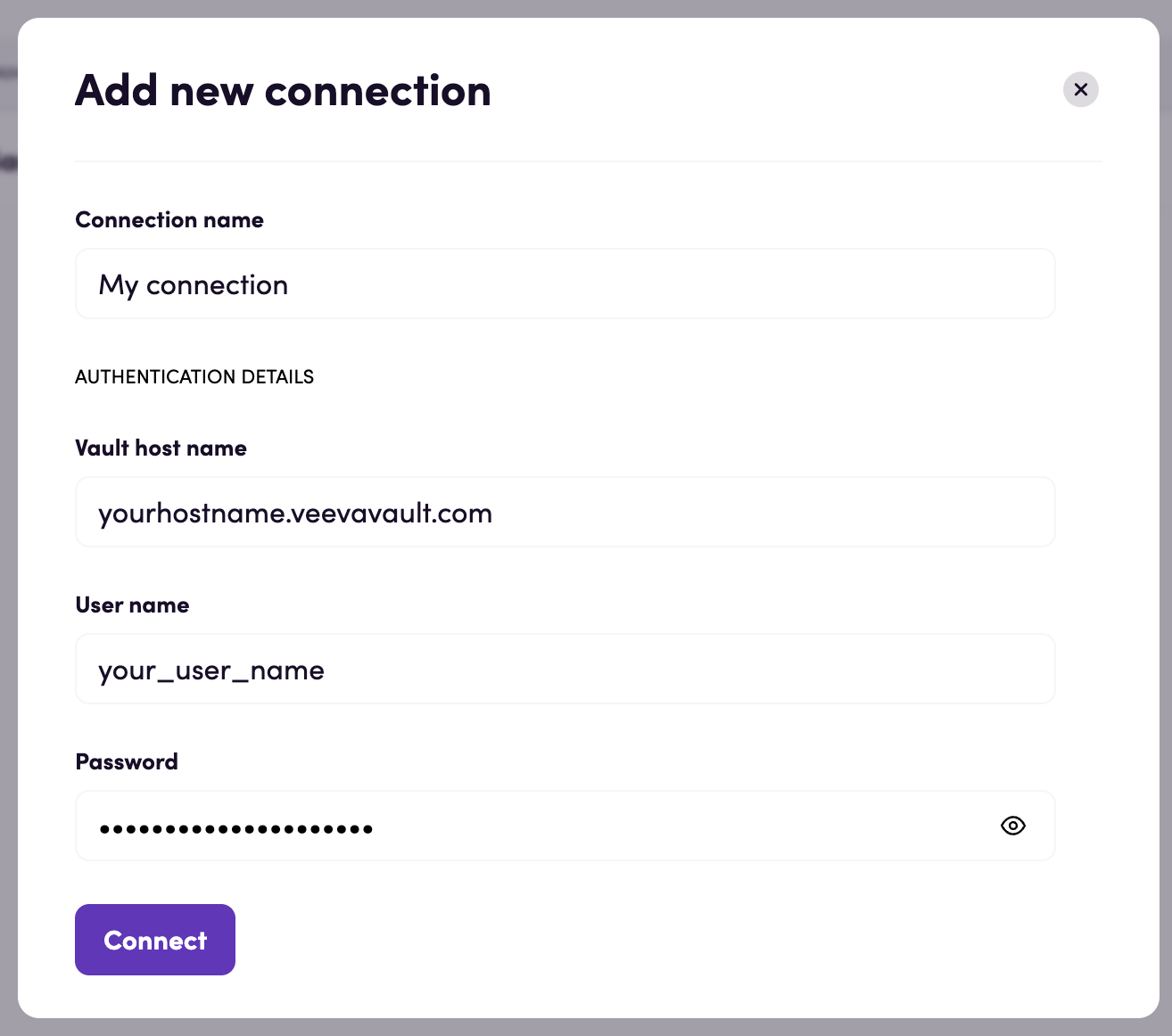
- Click Add connection and name your connection for future reference e.g. ‘My connection’.
- Input your Vault host name, username and password.
- Click Connect.
Actions
Section titled “Actions”Bulk translations
Section titled “Bulk translations”- Export bulk translations file Export a CSV bulk translations file
- Import bulk translations file Import a bulk translations file
Documents
Section titled “Documents”- Search documents Search documents with a specific criteria
- Get document Get details for a specific document
- Update document Update fields of a specific document
- Download document attachment Download the latest version of the specified attachment from the document
- Upload document attachment Create and upload an attachment on the latest version of a document
- Download document Download a specific document file
- Create document Create a new document from a file
- Create document relationship Create a new relationship on a document
- Start document action Initiate a user action
Vault objects
Section titled “Vault objects”- Search object records Search object records with a specific criteria
- Get object record Get details for a specific object record
- Create object record Create a new object record
- Update object record Update an editable field value for a specific object record
Workflow tasks
Section titled “Workflow tasks”- Search workflow tasks Search workflow tasks with a specific criteria
- Get workflow task Get details for a specific workflow task
- Accept workflow task Accept an available workflow task
- Complete workflow task Complete an available workflow task
Events
Section titled “Events”Documents
Section titled “Documents”- On document created or updated Triggered when a document is created or updated.
Vault objects
Section titled “Vault objects”- On object record created or updated Triggered when a vault object record is created or updated.
Feedback
Section titled “Feedback”Do you want to use this app or do you have feedback on our implementation? Reach out to us using the established channels or create an issue.